Every parent struggles with screen time. Passive video consumption—where young children stare mindlessly at endless algorithmic cartoon loops—can lead to overstimulation and shortened attention spans. However, when digital devices are utilized as interactive creative canvases, screen time transforms into a powerful medium for artistic expression.
Healthy Digital Art for Kids at a Glance
Key takeaways and proven recommendations for mastering this on Android today:
- Tip 1: Switch from passive video consumption (YouTube autoplay) to active creative digital drawing.
- Tip 2: Use tap-to-fill mode for toddlers developing hand-eye coordination and freeform brushes for older kids.
- Tip 3: Leverage neon glow brushes to make dark backgrounds sparkle with magical light streaks.
- Tip 4: Play 100% offline during flights, car road trips, and waiting rooms without requiring internet.
The Modern Digital Advantage
Coloring Book for Kids & Drawing by Bhima Apps gives young artists, toddlers, and preschool children a joyful, safe, and tactile drawing studio where they can paint friendly animals, fairytale castles, and vehicles with vibrant glowing colors.
Featured Studio Solution
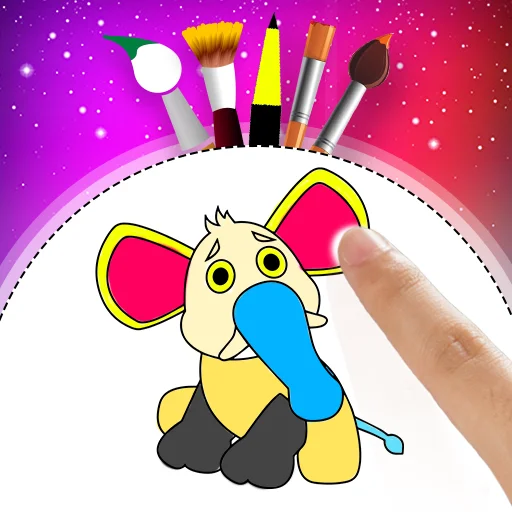
Coloring Book for Kids & Drawing
4.6 ★ (100K+ Downloads) • Family & Creative Studio
200+ adorable coloring illustrations, magic neon glow brushes, sparkle crayons, animal sketches, and 100% toddler-safe offline play.
Magic Neon Glow, Tap-to-Fill & Toddler-Safe Design
Designed with large touch-friendly buttons and zero confusing navigation menus, children can effortlessly switch between tap-to-fill coloring pages and freeform neon glow sketching. With over 200 handcrafted illustrations spanning zoo animals, underwater ocean creatures, dinosaurs, and seasonal celebrations, your child's imagination has endless room to grow.
Expert Optimization Strategies
1. Use Tap-to-Fill to Build Early Confidence
For toddlers aged 2 to 4 who are still mastering fine motor precision, the smart flood-fill tool ensures colors stay within boundaries, giving them immediate pride in their finished artwork.
2. Explore Glowing Neon Doodle Mode for Storytelling
Switch to the black canvas neon brush mode. Children love drawing fireworks, glowing stars, and alien spaceships with radiant particle trails that light up the screen.
3. Save & Print Finished Artwork for the Refrigerator
The app saves high-res PNG copies directly to your phone's photo gallery. You can easily print out your child's digital masterpieces to hang on the fridge or share with grandparents.
Frequently Asked Questions
Yes, the interface is completely child-friendly with simple, intuitive visual icons and no complex external links.
No, all 200+ coloring templates, brushes, and color palettes function 100% offline, making it the perfect travel companion for flights and car trips.
It is ideally suited for preschool and elementary children aged 2 through 9, with dual modes for both beginners and advanced young doodlers.
Yes, current projects are automatically saved locally so kids can pick up right where they left off.