
Changing your hairstyle or growing a new beard style is a significant visual commitment. Thanks to modern Android photo editing and facial recognition algorithms, you no longer have to guess how a skin fade, buzz cut, pompadour, or lumberjack beard will look on your face. In this guide, we break down how to use virtual try-on tools like Hair Style Photo Editor and Live Camera AI Face Filter to find your perfect look.
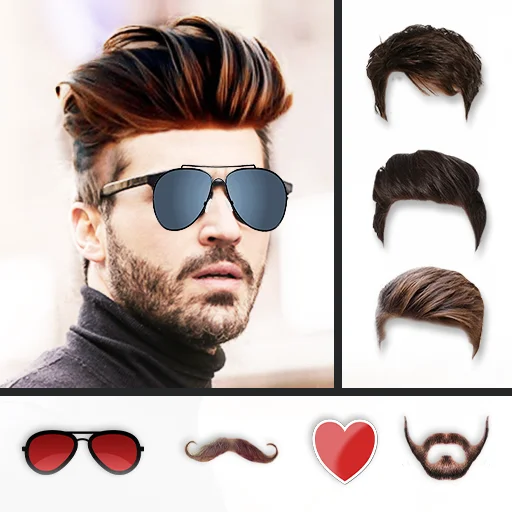
Hair Style Photo Editor & Grooming Studio
200+ Haircuts, Beard Simulator, Suits & Accessories • 4.8 ★ (1M+ Downloads)
1. Finding the Right Haircut for Your Face Shape
Before testing styles in the app, identify your facial geometry for the most flattering cut:
- Oval Face: Balanced proportions. Works with virtually any haircut including classic pompadours, side parts, and buzz cuts.
- Square Face: Strong jawline. Best complemented with textured crops, short fades, and stubble beards to highlight sharp angles.
- Round Face: Softer curves. Haircuts with vertical volume (quiff, high fade, spiky hair) elongate the face. Pair with an anchor beard or goatee.
- Heart / Triangle Face: Broader forehead and narrow chin. Medium-length flow, textured fringe, and full lumberjack beards balance facial symmetry.
2. Step-by-Step: Testing Haircuts on Your Smartphone
- Capture a Well-Lit Portrait: Snap a front-facing selfie with neutral expression and hair pulled away from the forehead.
- Select a Cut from the 200+ Catalog: Explore categories (Fades, Pompadour, Long Hair, Spikes, Curly, Buzz Cut).
- Adjust Scaling & Rotation: Use multi-touch pinch and rotate gestures to align the haircut contours to your natural hairline.
- Color Tuning & Blending: Use the built-in color slider to match your natural hair tone or experiment with blonde, silver, or neon highlights.
- Add Beard & Accessories: Complete your makeover with stubble, sunglasses, or formal blazers.

Live Camera AI Face Filter
Real-Time AR Selfie Masks, Funny Warps & Beauty Camera • 3.7 ★ (100K+ Downloads)
3. Real-Time AR Filter Testing with Live Camera Face Filter
If you prefer dynamic live video previews rather than static photo editing, Live Camera AI Face Filter tracks your facial landmarks in real-time. You can test animated 3D accessories, animal filters, funny face warp effects, and AI skin smoothing live before recording video stories or snapping selfies.
4. Pro Tips for Realistic Photo Edits
- Lighting Consistency: Ensure your selfie has consistent ambient lighting so the added haircut matches your facial shadow depth.
- Eraser Tool: Use the soft edge brush in Hair Style Photo Editor to erase minor overlapping hair strands around your ears.
- Show Your Barber: Save the final high-resolution edit to your gallery and show it directly to your stylist as an exact reference.
Frequently Asked Questions
Download Hair Style Photo Editor by Bhima Apps, upload a clear front-facing selfie, and select from over 200+ haircut models including fades, buzz cuts, pompadours, and curls with automatic size adjustment and color matching.
Yes. Hair Style Photo Editor includes a dedicated beard simulator featuring light stubble, goatee, anchor beard, royal mustache, and full lumberjack styles.
Yes, all 200+ hairstyles, beard assets, stickers, and photo blending tools are fully functional offline with zero internet required.